
How to preserve mobile phone evidence: a checklist for Canadian counsel
Step-by-step preservation checklist for mobile phone evidence in Canadian litigation, from initial seizure through forensic acquisition.
To preserve mobile phone evidence defensibly, isolate the device from all wireless networks immediately, do not power it off, do not unlock it unless the unlock credential is known and the matter requires it, document the chain of custody from the moment of contact, and ship or transport the device to a forensic lab in a Faraday bag without intervening handling. Every minute of delay reduces what is recoverable; every wireless connection or user interaction risks contaminating the evidence.
This checklist walks through the steps in detail, explains why each one matters, and flags the common mistakes that compromise mobile evidence in Canadian litigation.
Table of contents
- Why mobile preservation is time-sensitive
- Step 1: Isolate immediately
- Step 2: Do not power off
- Step 3: Do not unlock or interact
- Step 4: Document the chain of custody
- Step 5: Transport in a Faraday bag
- Step 6: Hand off to a forensic lab
- Common mistakes that compromise mobile evidence
- FAQ
1. Why mobile preservation is time-sensitive
Mobile devices are connected, interactive, and self-updating. From the moment of seizure, the device can:
- Receive remote wipe commands from the user's iCloud or Google account.
- Sync new content that overwrites existing storage.
- Apply OS updates that change file system structures.
- Receive incoming messages that overwrite older content in app databases.
- Drain battery and power off, returning to BFU state and locking down most data.
Each of these reduces what is recoverable. Speed of preservation is the single biggest factor in the strength of the eventual forensic acquisition.
2. Step 1: Isolate immediately
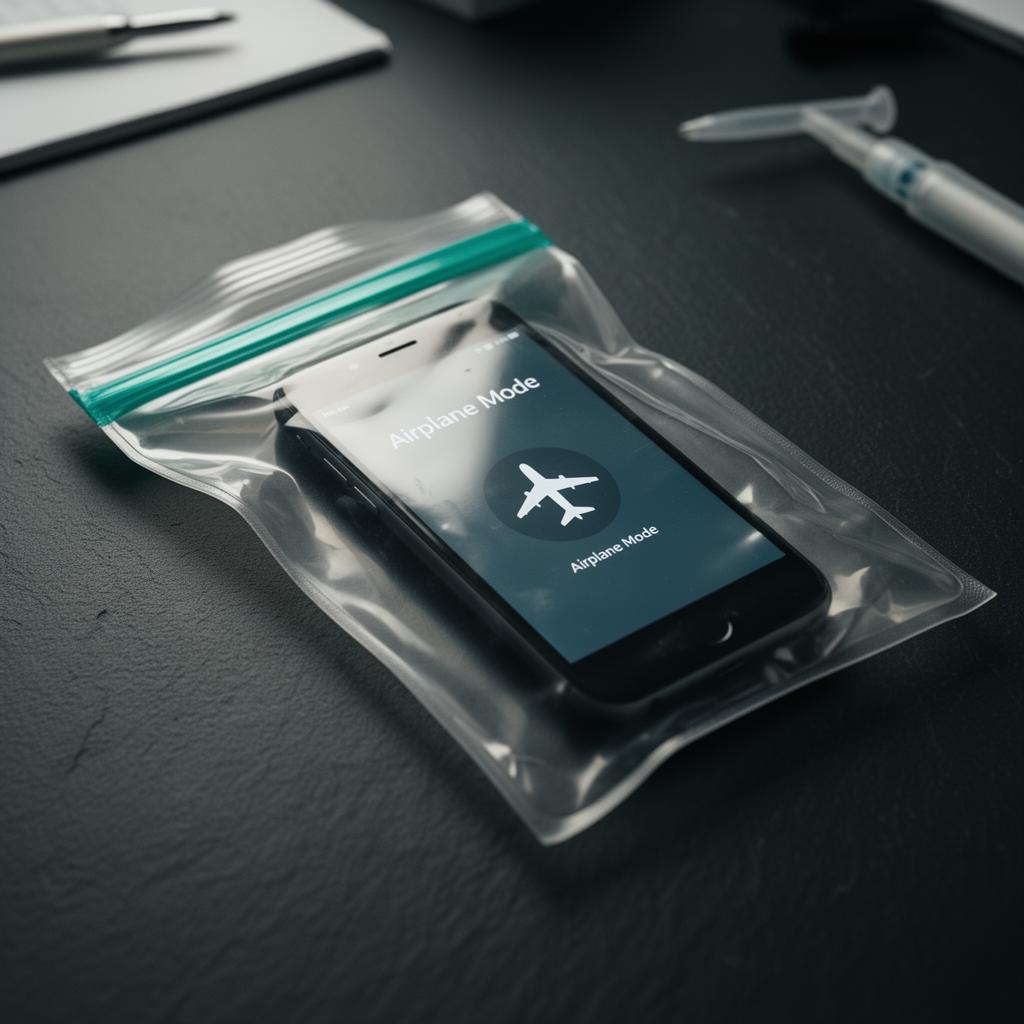
The first action on contact is wireless isolation. The device must be cut off from cellular, Wi-Fi, Bluetooth, and any other radio.
Methods, in order of preference:
- Faraday bag. A forensic-grade shielded enclosure that blocks all radio signals. This is the right tool for the job.
- Airplane mode. A reasonable second-best if a Faraday bag is not available, but only if airplane mode can be engaged without unlocking the device.
- Power off. A last resort because it transitions the device to BFU state and reduces what is recoverable.
- Removal of SIM card. Helps with cellular but does not block Wi-Fi or Bluetooth. Useful as a supplement, not a substitute.
Do not rely on "I will turn off Wi-Fi later." Once the device receives a remote wipe command or syncs new content, the evidence is gone or contaminated.
3. Step 2: Do not power off
If the device is powered on, keep it powered on until forensic acquisition. Power off transitions to BFU and most user data becomes encrypted and inaccessible to forensic tools.
If the battery is low, place the device on a charger inside the Faraday bag if one is available. Many forensic-grade Faraday bags include a port for a charging cable that can pass through without breaking the radio shielding.
For long transit (over 24 hours), arrange charging at the destination. Do not let the device die.
4. Step 3: Do not unlock or interact
Every interaction with the device potentially modifies its state and risks contaminating evidence. Do not:
- Enter the passcode unless absolutely necessary and the matter has been scoped with the forensic team.
- Open apps to "check" what is on the device.
- Take screenshots of message threads.
- Forward messages to your own account "to preserve them."
If you need to capture content for an immediate purpose (a protection-order application that cannot wait for full forensic acquisition), document exactly what you did and have the forensic team capture the source state for later authentication.
5. Step 4: Document the chain of custody
From the moment of contact, log:
- Date and time of seizure or receipt.
- Identity of the person handing over and the person receiving.
- Make, model, IMEI or serial number where visible without unlocking.
- Condition of the device (cracked screen, water damage, etc.).
- Photo of the device at the moment of contact.
- Action taken (Faraday bag applied, airplane mode engaged, etc.).
This log is the foundation of the chain of custody for the matter. Every subsequent handling event must be added.
For more on chain of custody, see our methodology page.
6. Step 5: Transport in a Faraday bag
The device travels in the Faraday bag from the point of seizure to the forensic lab. The bag is sealed with a tamper-evident seal logged in the chain of custody.
For long-distance shipping, use a courier service with tracking and signature on delivery. Pack the Faraday bag in a rigid container to prevent physical damage. Do not include a return address that identifies the forensic firm; use a generic shipping address to avoid telegraphing the engagement.
For local transport in Metro Vancouver, we offer pickup service. Tell us where you are and we will collect.
7. Step 6: Hand off to a forensic lab
At the lab, the forensic team takes custody of the device, verifies the seal, photographs the device on receipt, and logs the handoff in the chain of custody. Acquisition begins as soon as scheduling permits.
For Teradrive engagements, send the device to our Langley main office at 20627 Fraser Hwy, V3A 4G4. The drop-off points in Vancouver and Burnaby accept devices for forwarding to the lab; the actual examination happens at Langley.
8. Common mistakes that compromise mobile evidence
Five mistakes we see often:
- Powering the device off "to preserve battery." This transitions to BFU and removes most acquisition options.
- Unlocking the device "to take screenshots." Modifies state, contaminates artifacts, and risks giving the user time to remote-wipe.
- Removing the SIM card without isolating Wi-Fi. Wi-Fi remote wipe still works.
- Holding the device for days before sending to a lab. Each day reduces recoverability.
- Sending the device through regular mail. No tracking, no chain-of-custody documentation, no Faraday isolation in transit.
Avoiding these protects the matter.
9. FAQ
Q: Can we preserve mobile evidence ourselves and forward it to a forensic team later? A: You can preserve the device by isolating, documenting, and shipping. The actual forensic acquisition should be done by trained examiners with the right tools.
Q: What if the user is willing to provide the passcode? A: That helps. Document the consent and provide the passcode to the forensic team. Acquisition options expand significantly with a known unlock credential.
Q: What about a damaged phone? A: Damaged devices are within scope for our chip-off, JTAG, and ISP capabilities. The same isolation and chain-of-custody principles apply at intake.
Q: How long do we have before remote wipe risk becomes critical? A: As soon as the user knows the device is out of their control, remote wipe is a possibility. Faraday isolation should happen within minutes, not hours.
Q: Is iCloud or Google account preservation needed too? A: Often yes. Cloud account preservation runs in parallel with device preservation. Counsel should coordinate both at scoping.
Related posts
- Chain of custody for digital evidence in Canada
- Are deleted text messages admissible in BC court?
- Cryptocurrency tracing in matrimonial cases
CTA strip
Headline: Have a phone you need to preserve? Primary CTA: Book a confidential consultation Secondary text: Or call (778) 900-5187